Working with dynamic content
Adding a new dynamic content 'Section'

This article will explain how to add a new section
Sections allow you to add other types of content. You can call sections anything, but the most commonly created sections are 'blogs' and 'case studies' etc.
Adding a new section:
Step 1: Create the new Section
In the Articles admin section in the back end, choose "Sections" to show the current list, you'll see something like this:
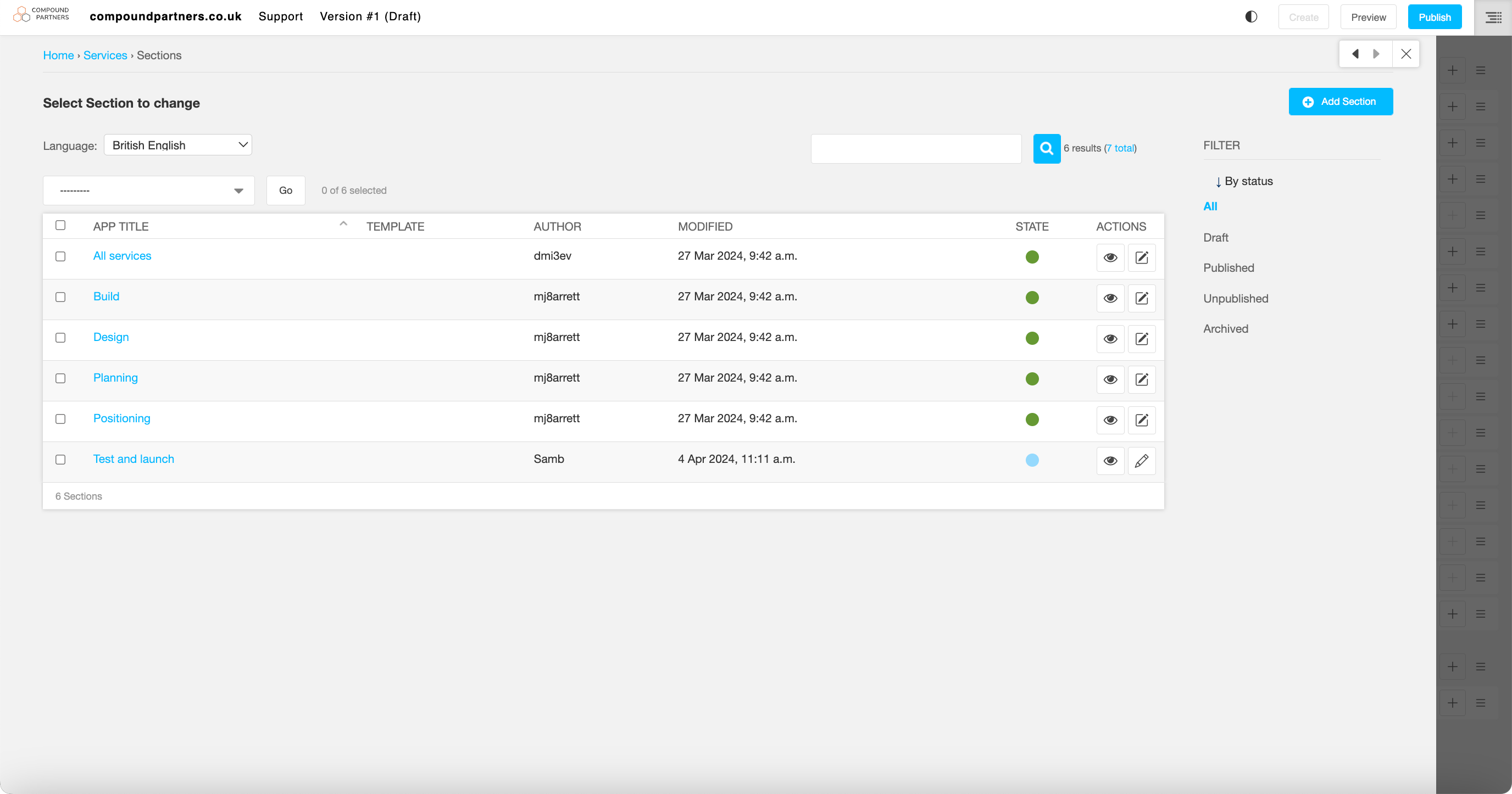
Add a new Section with the blue button and you'll be taken to a form where you can define parameters of the new article type:
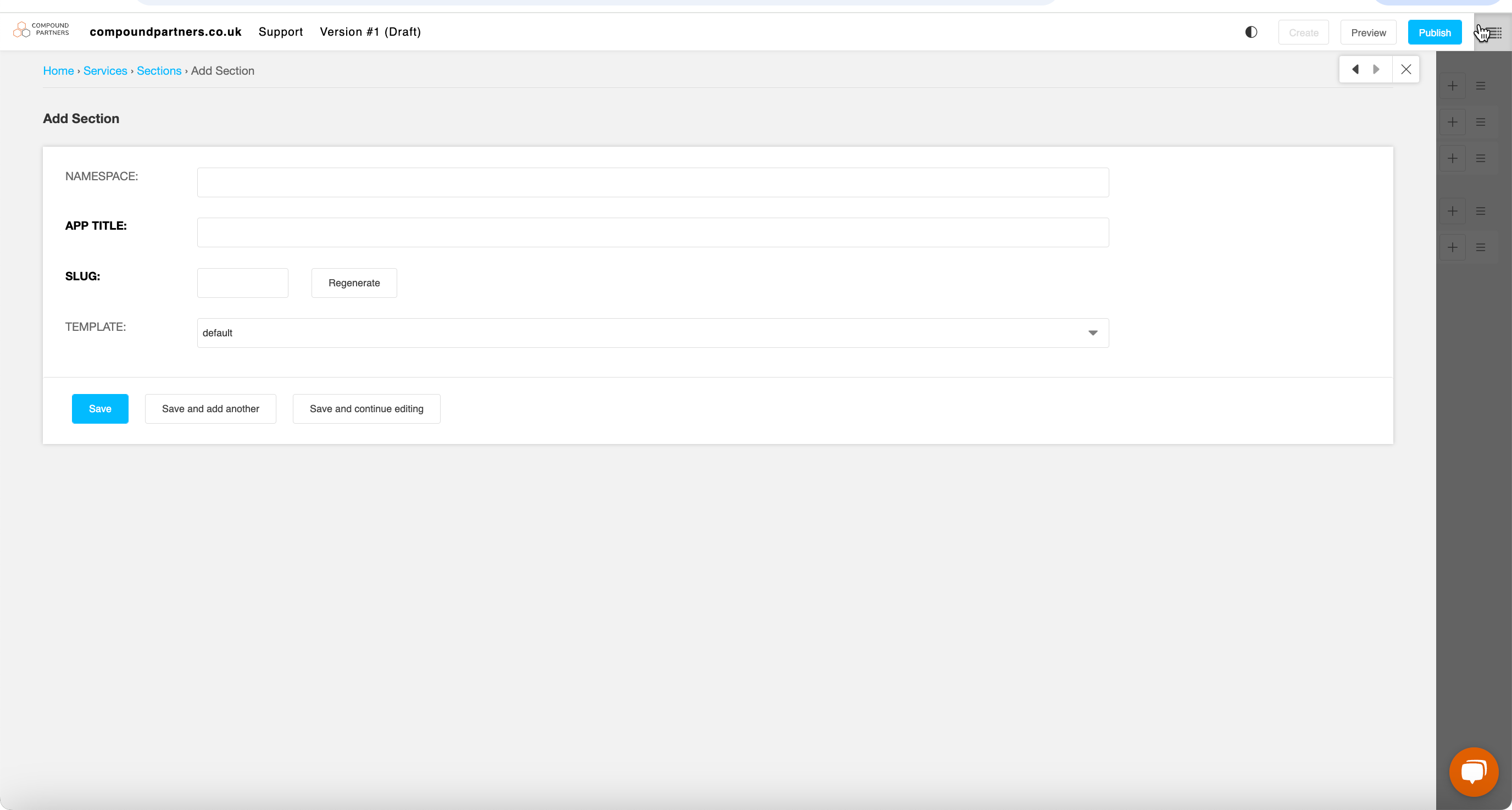
Save and publish the section. Now, you can associate dynamic content with this section.
Looking for help with something else?
If there isn't a support guide on the topic you're looking for, tell us what you're trying to do and we'll write one. Most guides on this page started as a request from an editor, so if you've hit a gap, someone else probably has too.
Working with dynamic content