Working with dynamic content
Creating and 'Article': the admin view

Here is how you create an article on the website.
See the other pages article module for more advice on how to use them to their full potential.
How to set up an article in the backend:
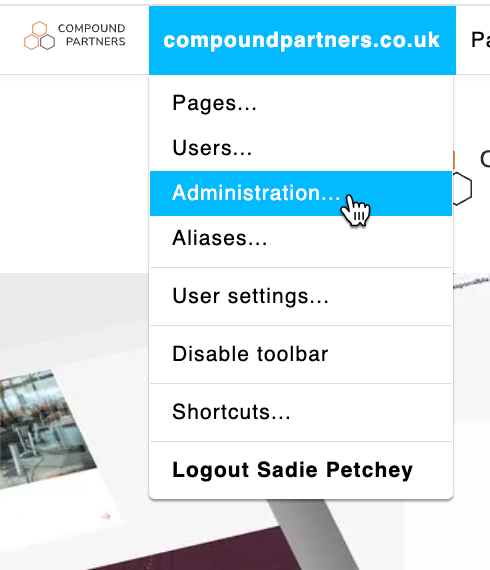
Step 1: Click on the 'Administration' tab
This will take you to the backend.
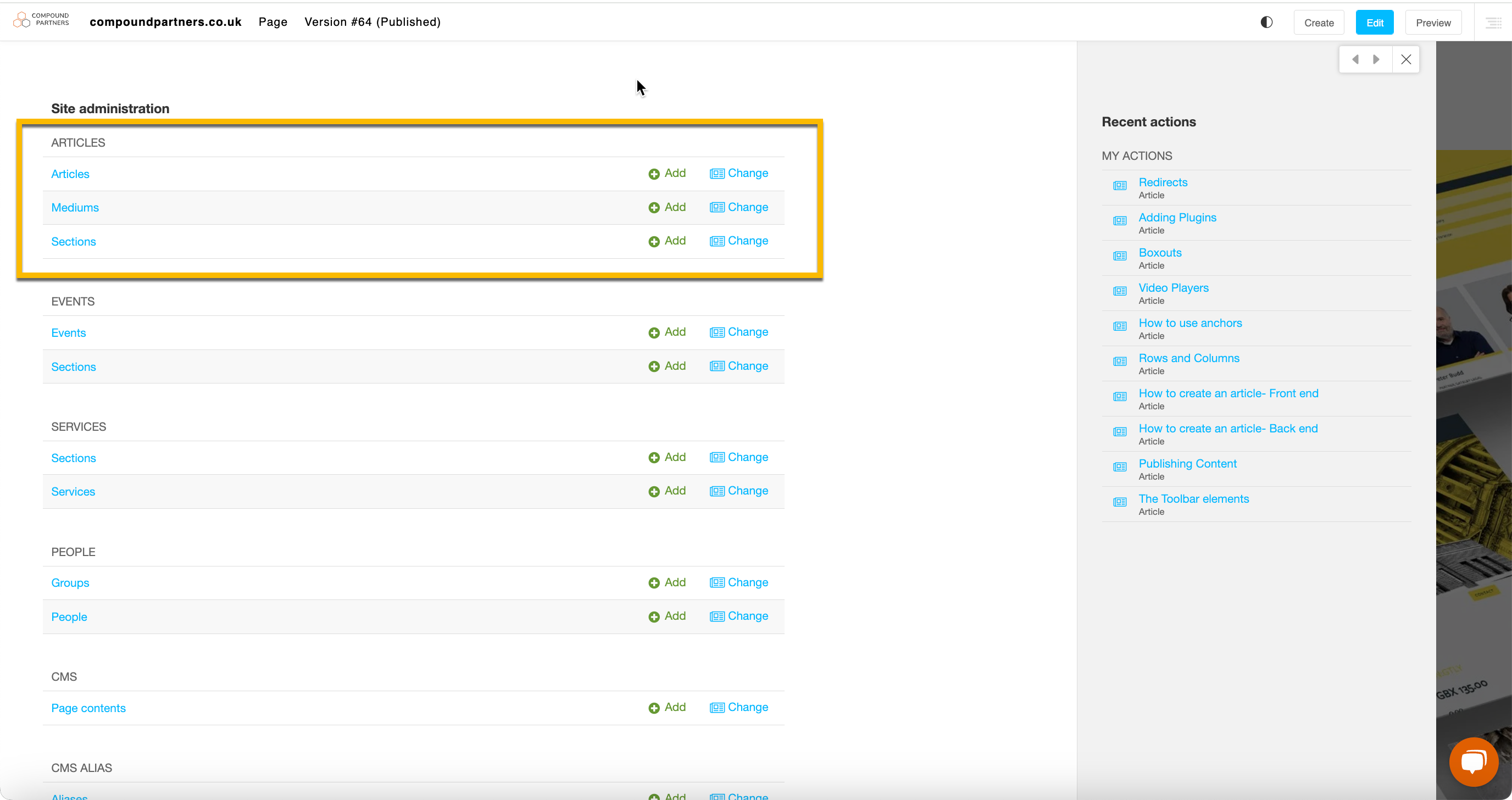
Step 2: Click on the 'Articles' tab
You may need to scroll to find this tab in the menu depedning on how your website is set up.
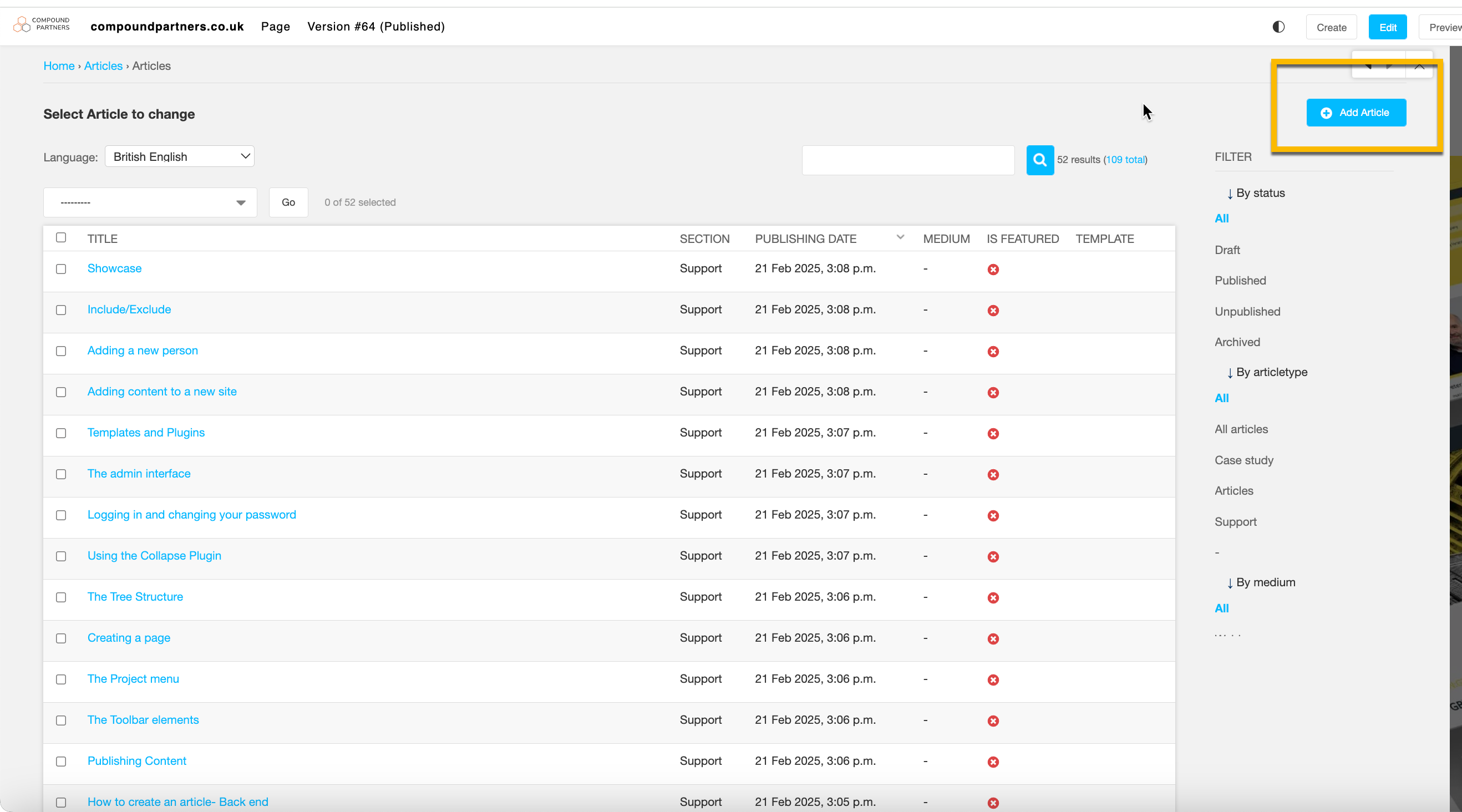
Step 3: Click on the 'Add article' button in the top left corner
This will allow you to begin inputting the back end information.
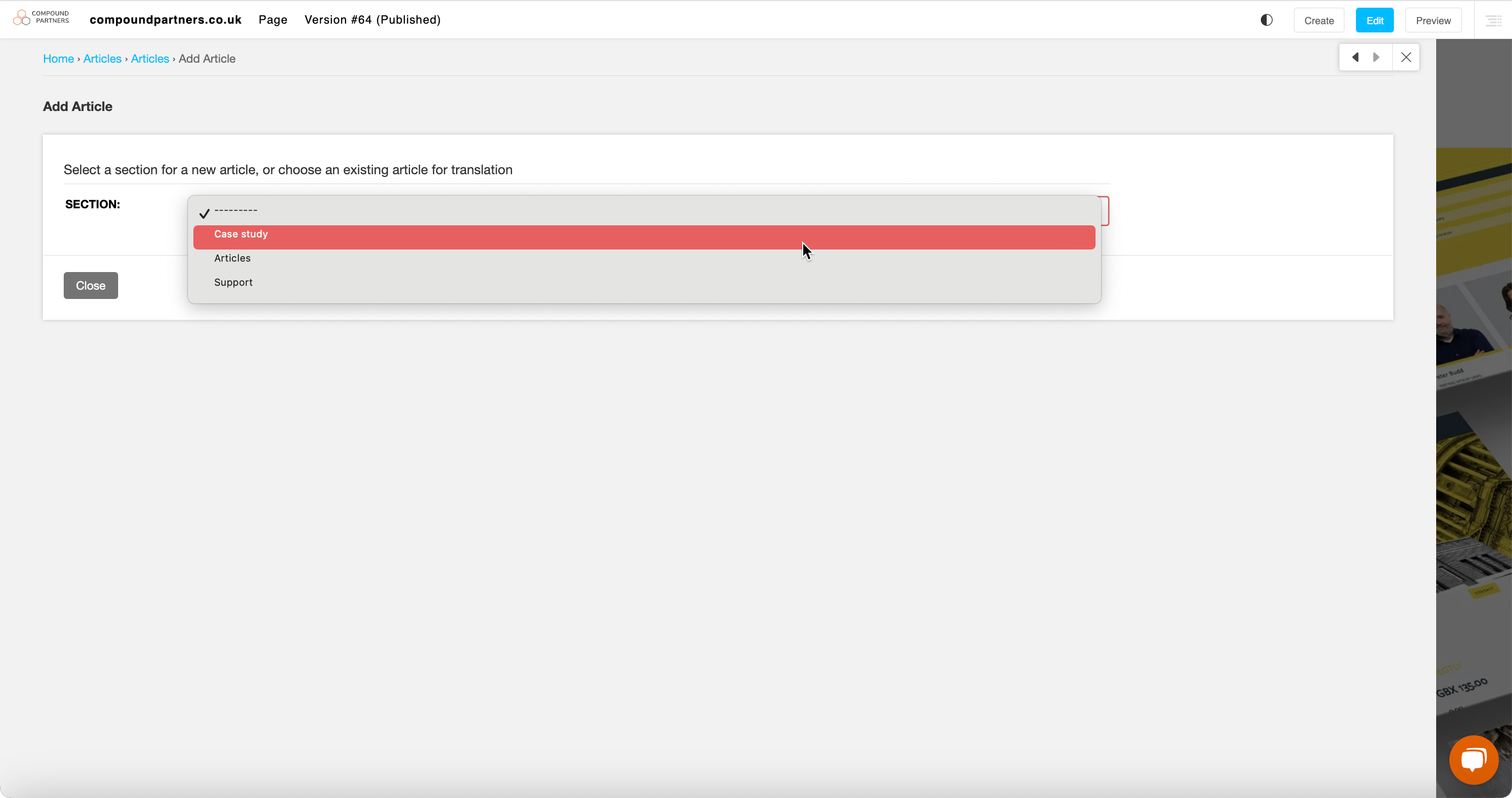
Step 4: Select the section you want the article to appear under
This drop down will include sections such as case studies, news, interviews etc depending on which sections exist on the website.
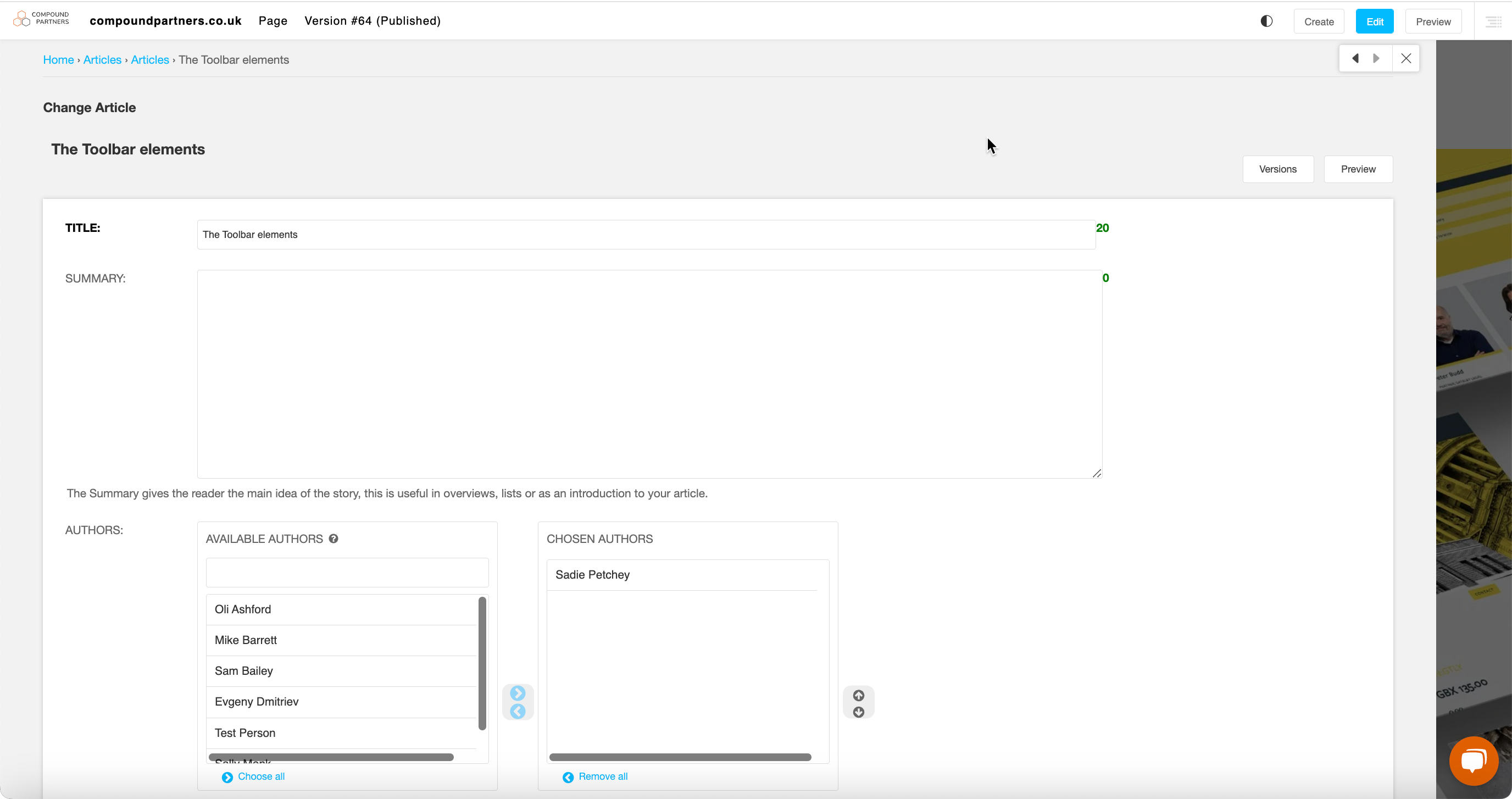
Step 5: Add information to the fields
Fill in the fields with the correct information. You can refer to the article checklist if you need help with this step.
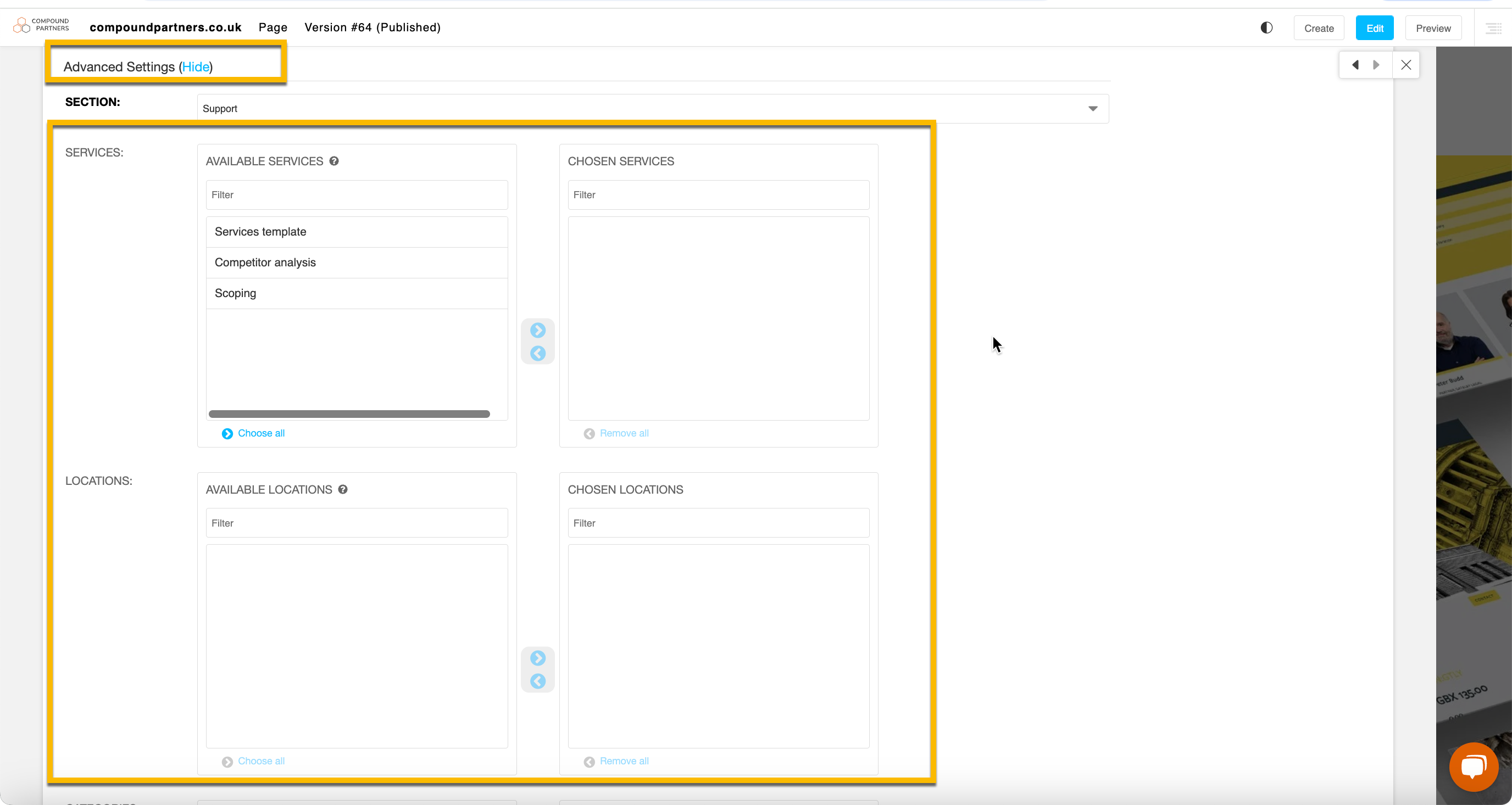
Step 6: Decide on the categorisation
Scroll down to the ‘advanced settings’ tab to select the categories that the article will appear under.
Looking for help with something else?
If there isn't a support guide on the topic you're looking for, tell us what you're trying to do and we'll write one. Most guides on this page started as a request from an editor, so if you've hit a gap, someone else probably has too.
Working with dynamic content