
The include/exclude plugin allows you to add functionality such as social sharing, modal pop-ups etc. to one, or a range of pages.
The plugin only has two fields:
- Show on these pages
- Hide on these pages
Into which you add URLs to display or hide any plugins that are "inside".
Multiple Include/Exclude containers can exist on the site at the same time. Care needs to be taken to ensure the rules don't overlap which could cause unexpected results.
Where should it be placed?
It is best placed in a footer or dedicated placeholder, so that it is visible on every page.
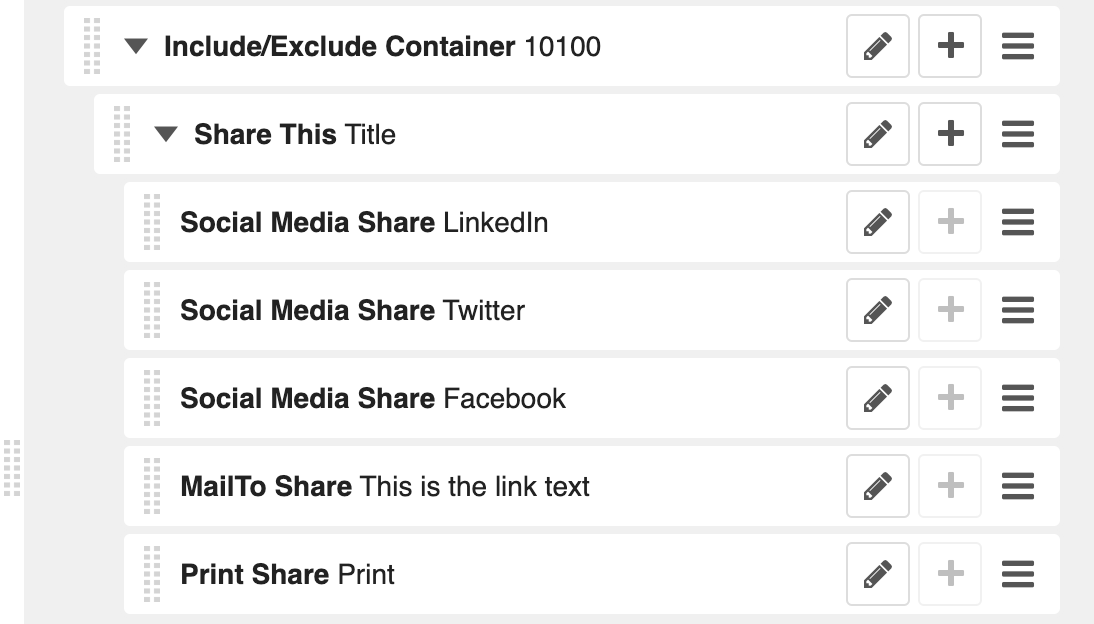
The most common use is to include the social sharing plugin 'Share this' which is normally included on every page. Here is how that would typically look in the sidebar:
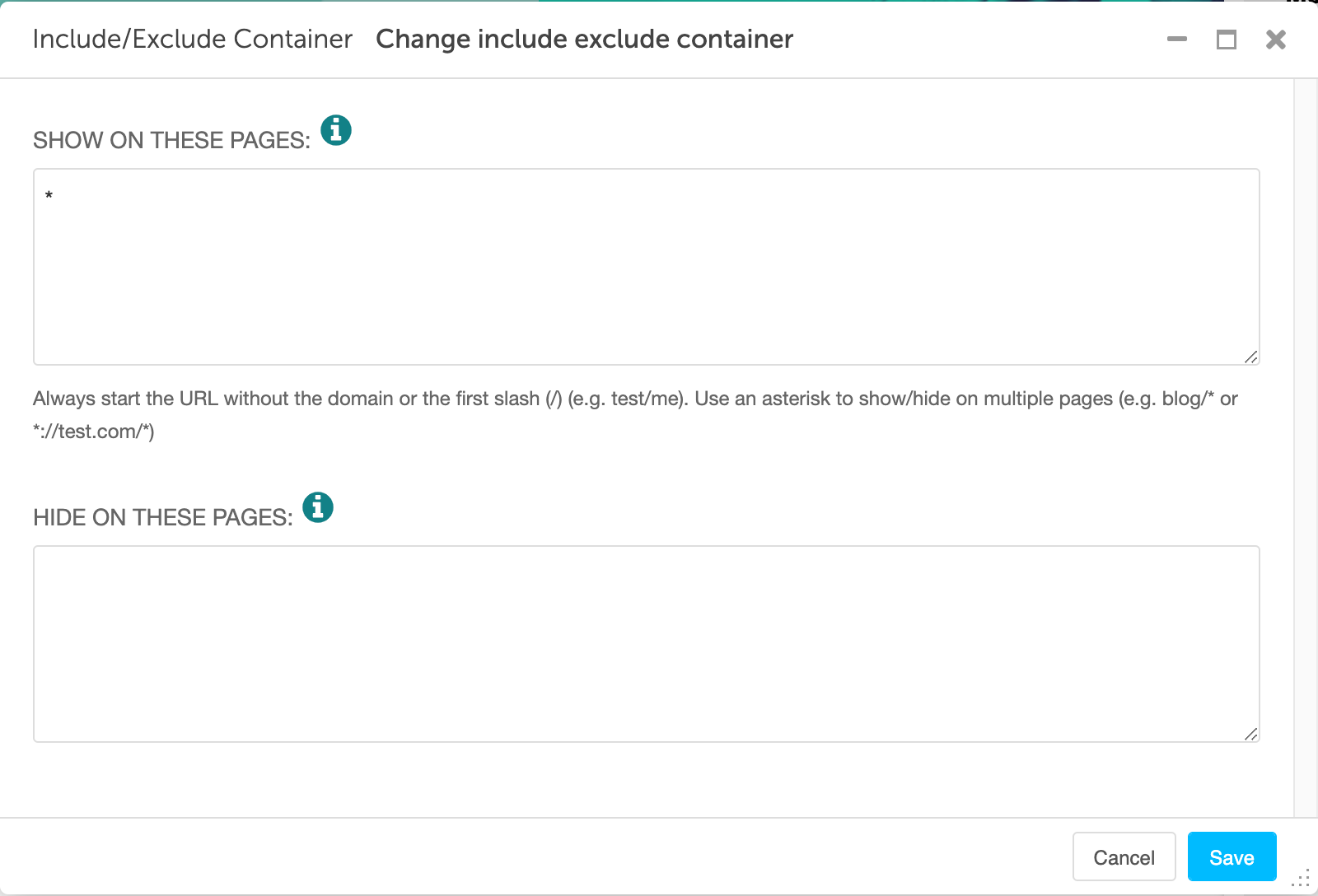
In the below example, all pages (*) are included in 'Show on these pages':
URL examples
The URLs in the 'Show on these pages' and 'Hide on these pages' boxes are always created without the domain or the initial /
For example, to include on all pages, you only need to write - *
To include on all Blog pages, you only need to write - blog/*
To include only on the Contact page, you only need to write - contact/
Looking for help with something else?
If there isn't a support guide on the topic you're looking for, tell us what you're trying to do and we'll write one. Most guides on this page started as a request from an editor, so if you've hit a gap, someone else probably has too.
Plugin guidance