This is the part of the django CMS toolbar that corresponds to your site. Normally, the name of your website is displayed instead of "Project".
By clicking on this menu, you will see various options available to help you manage your project/site.
What are the elements of the project menu?
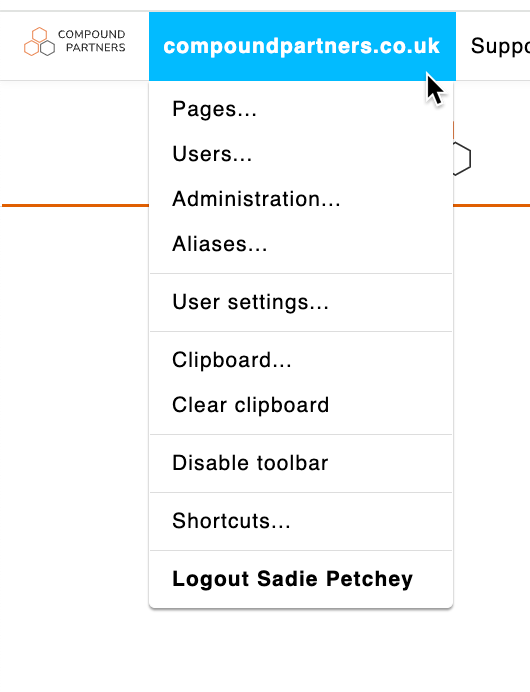
Pages
This allows you to access the page tree of your site by opening the side window
Users
Gives you access to the user management panel in the side window.
Administration
Allows you to manage the administration of your site by taking you to the side administration window.
Media Library
Gives you access to the Media library that opens in the side window
Modules
Access to the modules of your site.
User settings
Allows you to change the language of the administrator interface and the menu/toolbar.
Disable toolbar
Allows you to completely disable the toolbar and the front-end editor, regardless of the login and status of the person logged in.
Shortcuts
Gives access to your shortcuts.
Logout
The user will be logged out.
Looking for help with something else?
If there isn't a support guide on the topic you're looking for, tell us what you're trying to do and we'll write one. Most guides on this page started as a request from an editor, so if you've hit a gap, someone else probably has too.
Getting started