
This article explains how to add a new user to the site
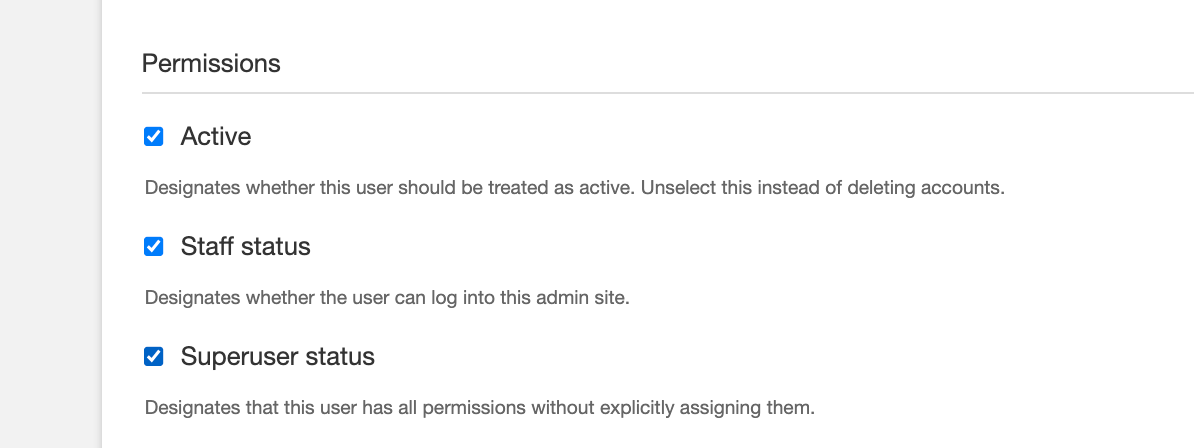
This will give the user full access to edit the site.
How to add a user:
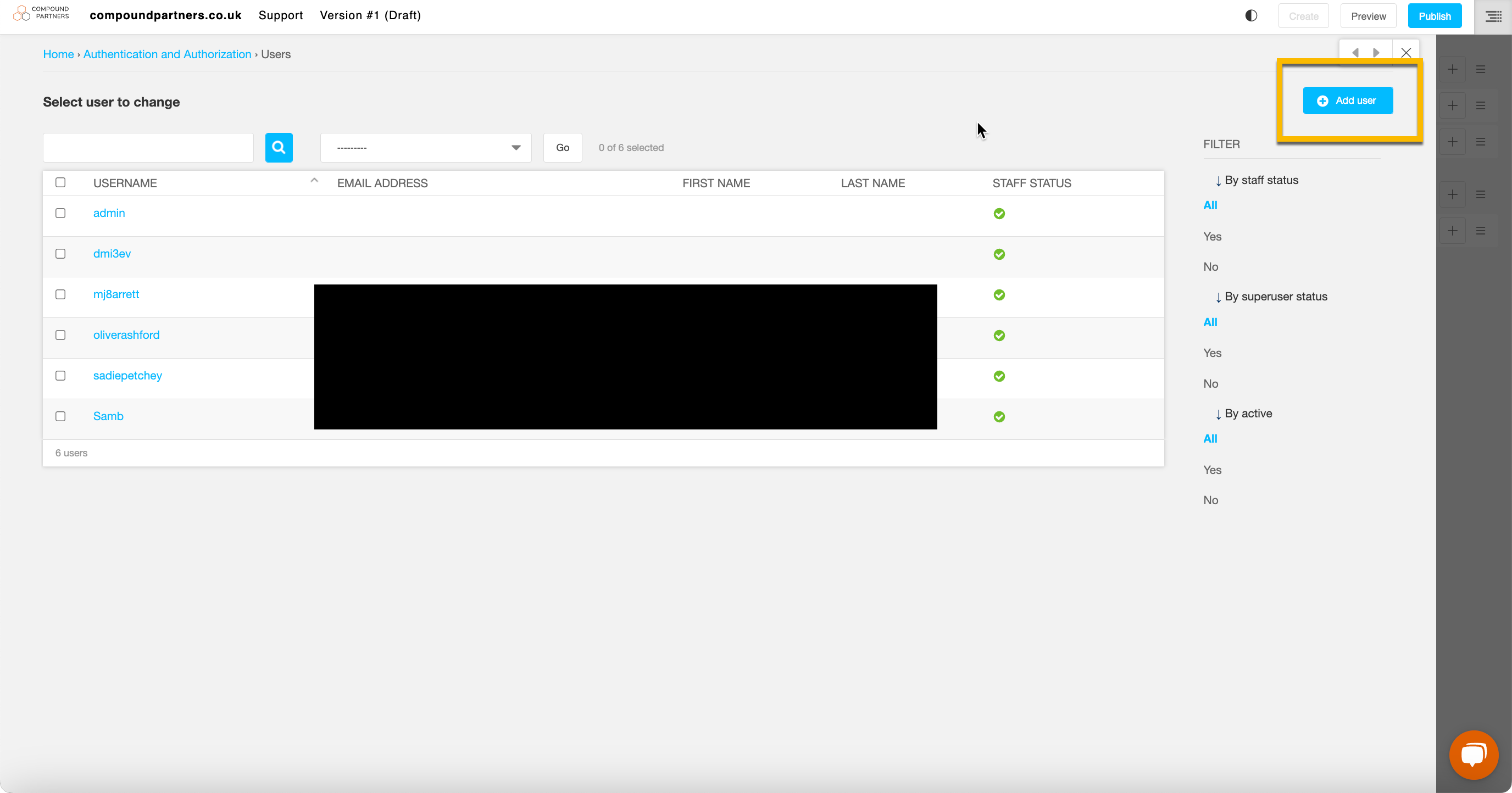
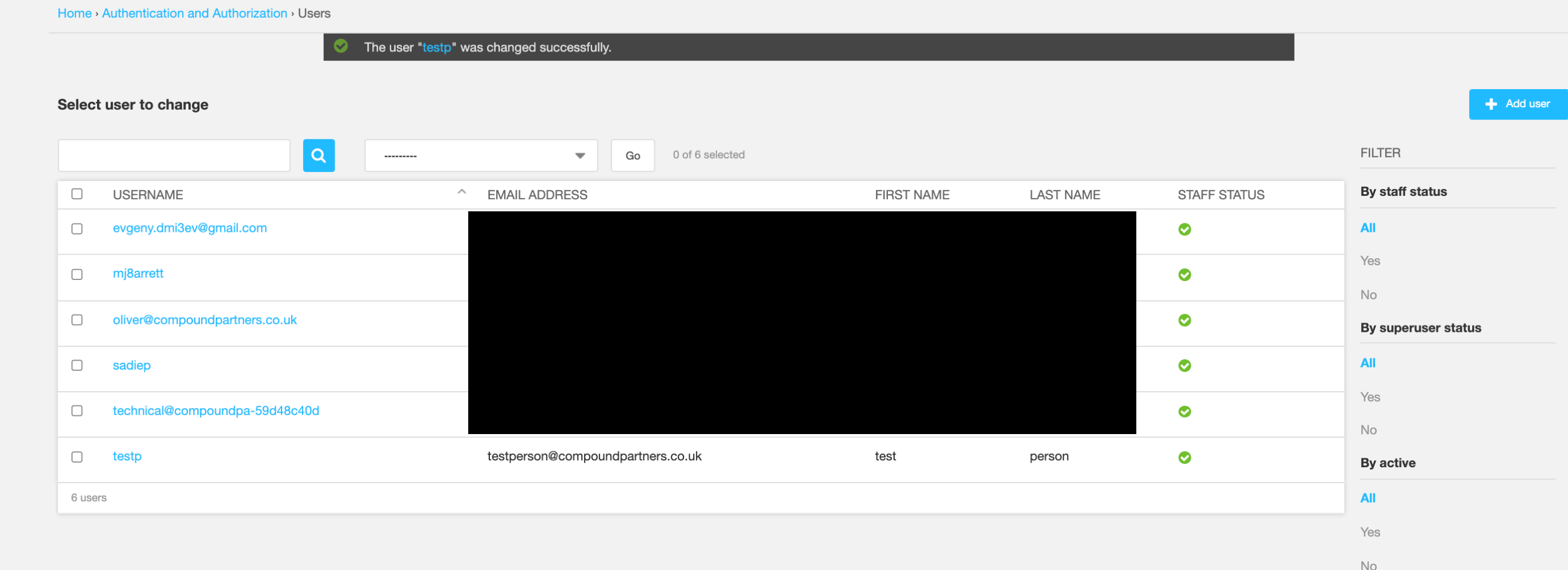
Step 1: Find and click 'USERS' in the back end and press 'Add user' in the top right corner
Step 3: Input the persons' USERNAME and PASSWORD
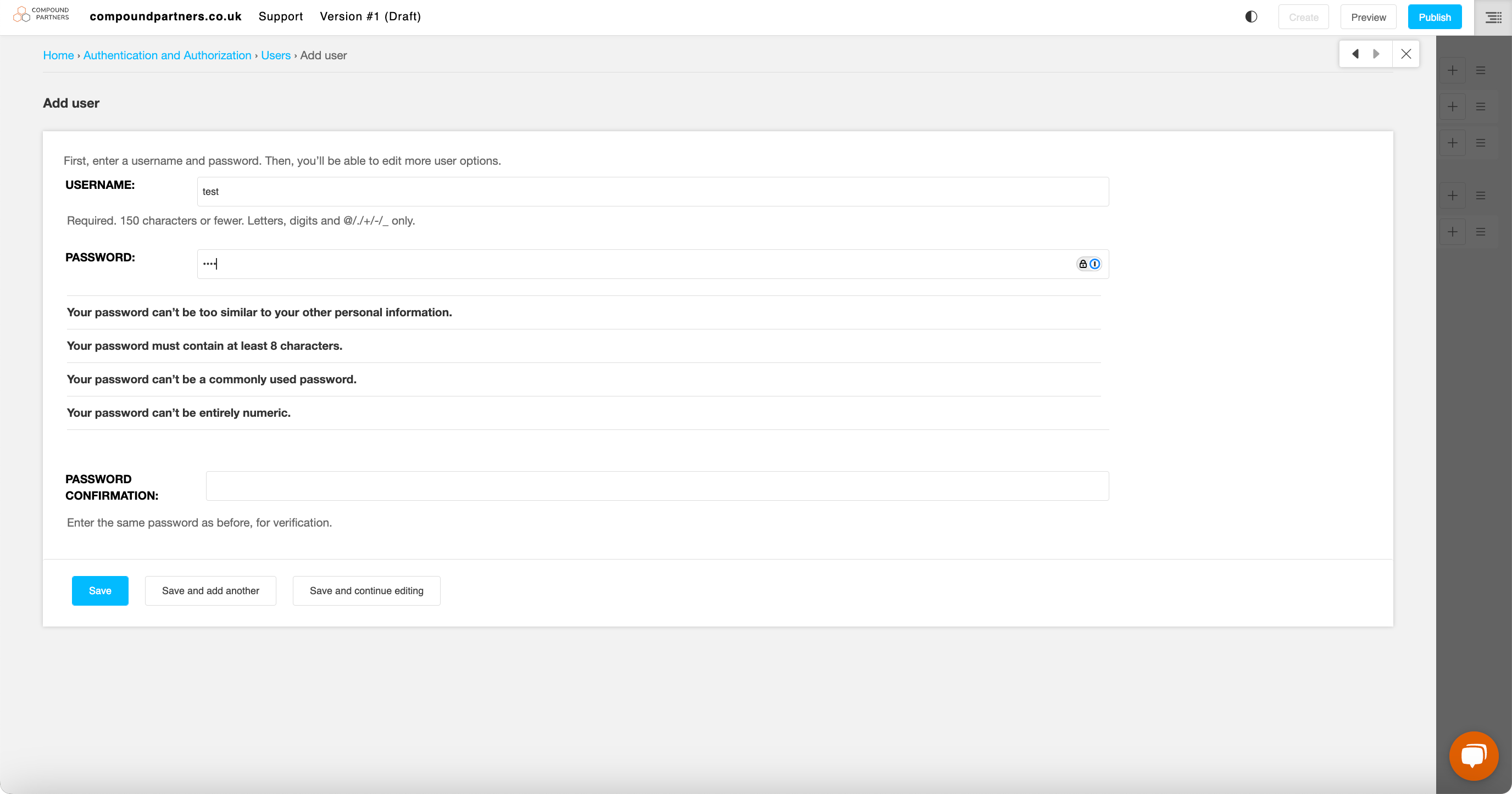
Save and continue editing so that you can add an email address etc.
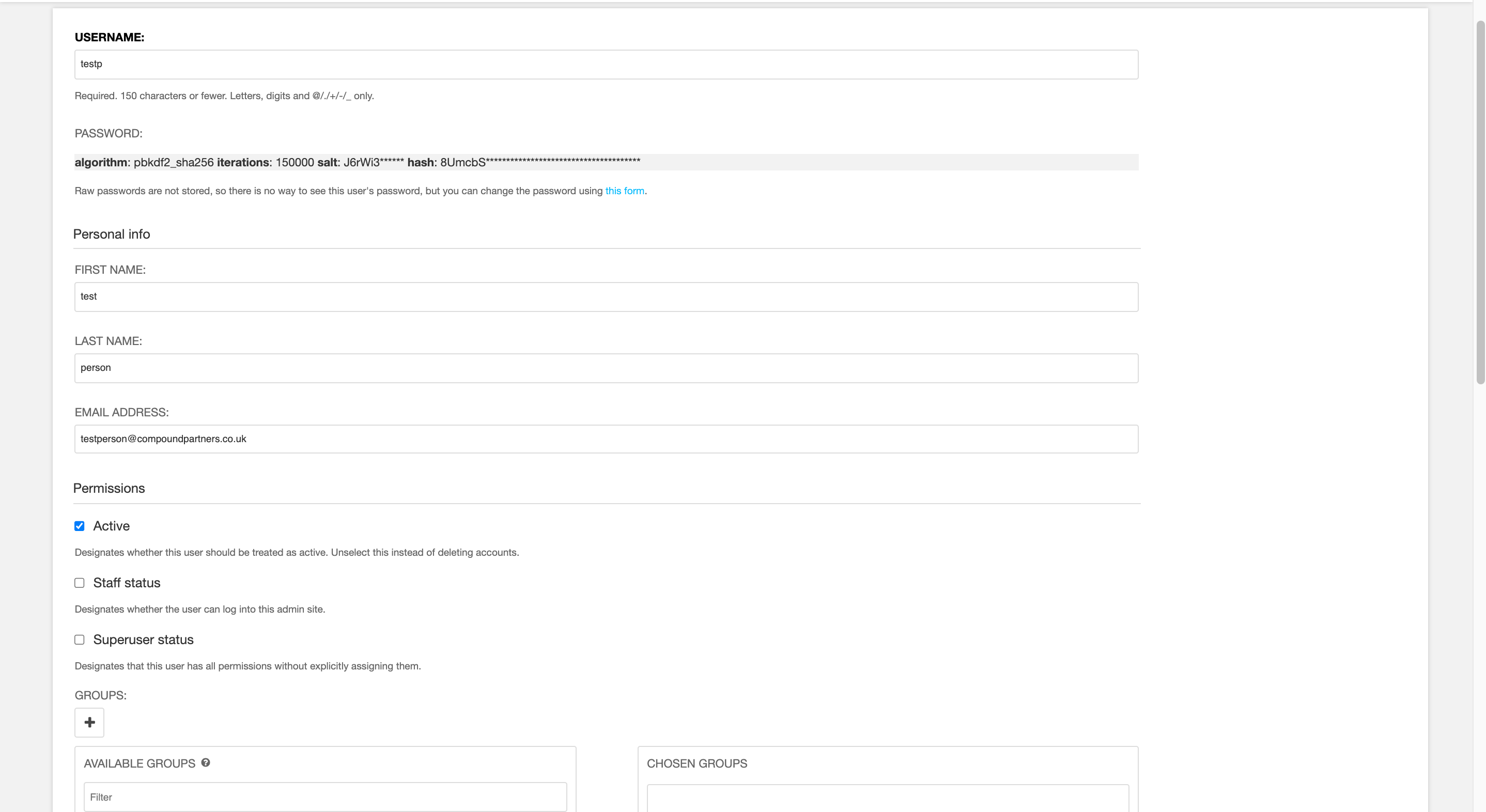
Step 4: Input the rest of the person's details
Step 5: Make sure you check all three boxes to allow the user full access
Step 6: Press Save, and the person will appear on the 'USERS' listing page
Looking for help with something else?
If there isn't a support guide on the topic you're looking for, tell us what you're trying to do and we'll write one. Most guides on this page started as a request from an editor, so if you've hit a gap, someone else probably has too.
Getting started